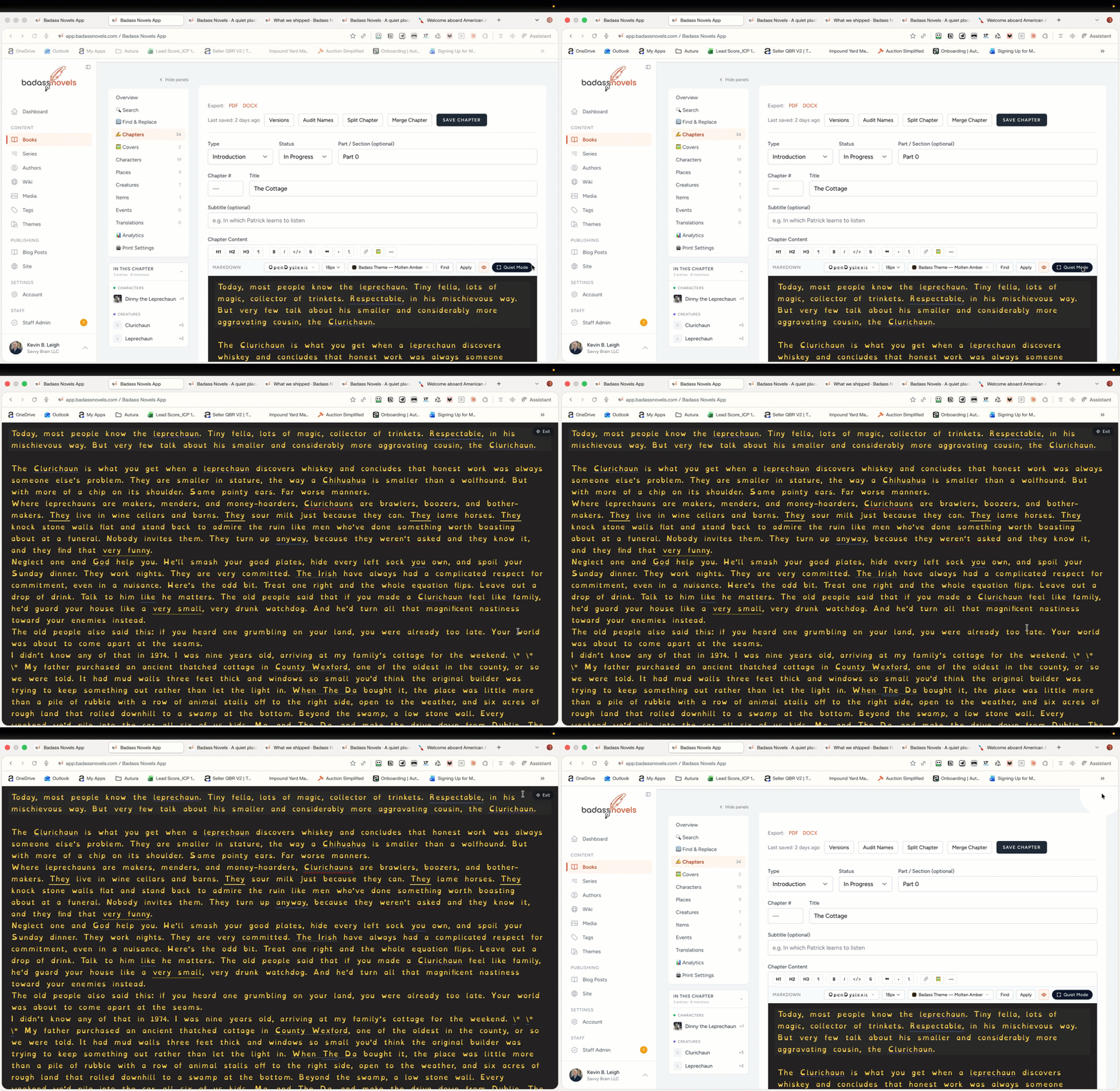
Quiet Mode: A Cinematic Way to Disappear Into Your Draft
Some sessions call for more than just tucking the panels away. When you want the interface to truly vanish and leave you alone with your prose, the new Quiet Mode pill in the chapter editor toolbar is ready. It mirrors the Focus button you already know from the /read/ reader — now brought to the writing side, with a little cinematic flourish of its own.
A single pill, a deliberate transition
You'll find the Quiet Mode pill sitting in the top toolbar of the chapter editor, right where it belongs. Click it and the experience doesn't just snap on — your theme's background color sweeps across the page in a smooth radial reveal, washing the interface away from the click point outward. It's a moment that signals a shift: you're done setting up, and now it's time to write.
As the reveal settles, the toolbars fade out and your prose claims the entire viewport. No chrome, no chapter rails, no header bar hovering at the top. Just the page, your words, and room to think.
Consistent with the reader you already use
If you've ever hit Focus while reading a chapter at /read/, Quiet Mode will feel immediately familiar. Same pill shape, same position in the toolbar, same intent — cleared space for deep reading, now for deep writing too. One mental model across both sides of your workflow, so there's nothing new to learn when you switch between drafting and reviewing.
Easy in, easy out
Quiet Mode is designed to stay out of your way without stranding you. A small Exit pill remains tucked into the corner, quietly available whenever you're ready to bring the full interface back. One click and you're returned to the editor exactly as you left it.
Prefer the keyboard? Esc still works, just like it always has. Whichever feels more natural in the moment, the exit is never more than a keystroke or a glance away.
Designed for the moments that matter most
Quiet Mode is built for the parts of writing that deserve your full presence — the breakthrough scene, the tricky paragraph you've been circling, the final read-through before you call a chapter done. When the interface matters less than the words, one click is all it takes to let everything else fall away.
Look for the Quiet Mode pill the next time you open a chapter. Give it a click, and see what you write when nothing else is asking for your attention.