What we shipped
Every user-visible update, newest first. 6 entries and counting.
April 23, 2026
-
Importer handles styled chapter titles
If a chapter title had mixed formatting inside it, say one italic word in the middle, the importer used to choke and kick you back to the upload screen. Those headings now come through cleanly as plain text, and the rest of the parse picks up where it should.
-
Book importer accepts more Word files
Some .docx files (notably ones exported from Google Docs) were getting bounced with a must-be-a-file-of-type error even though they were perfectly valid. The importer now trusts the file extension instead of leaning on PHP built-in type sniffing, which was misreading a chunk of real-world manuscripts.
April 22, 2026
-
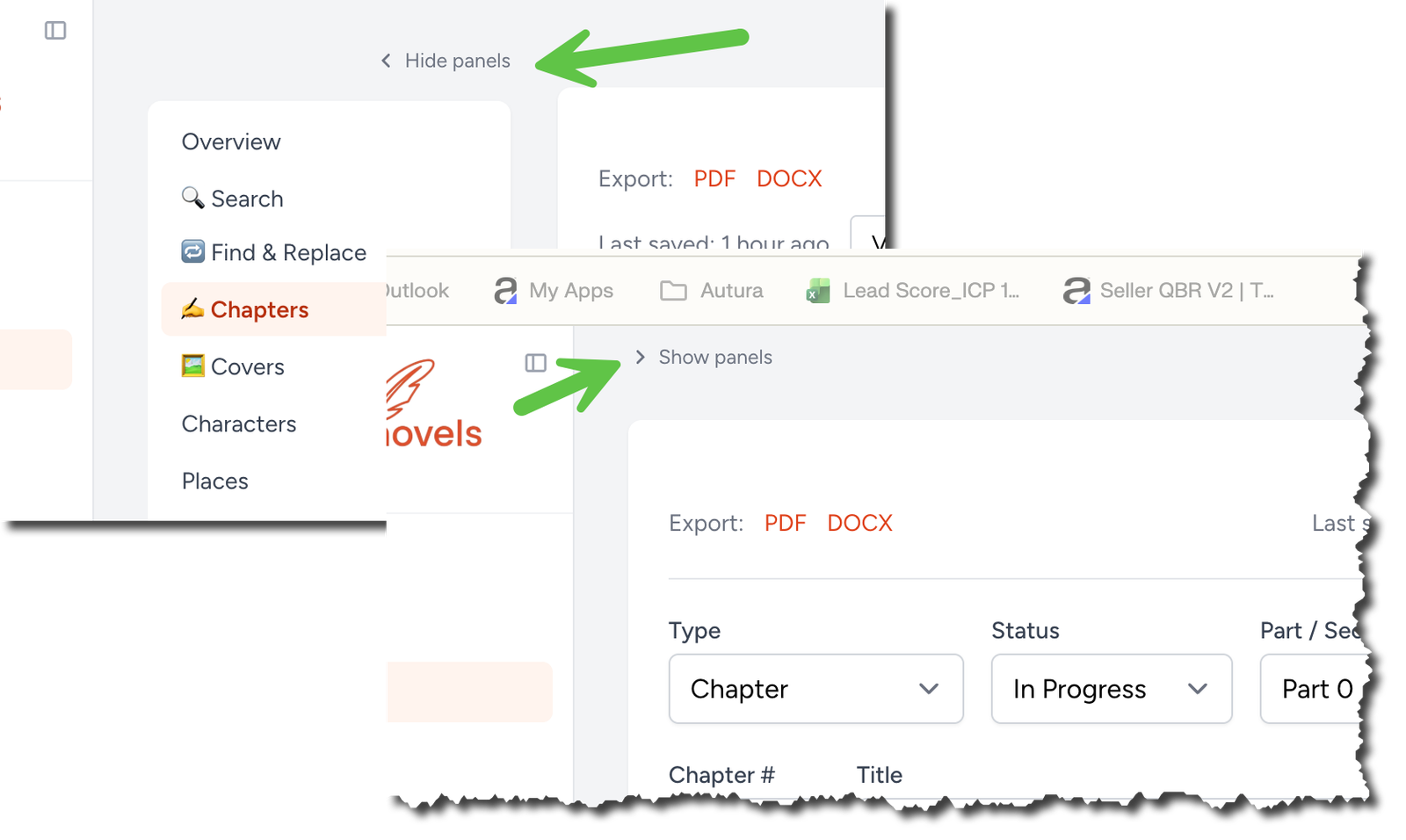
Hide the side panels for a wider chapter editor
A small Hide panels link at the top of the chapter sidebar now collapses both the Overview nav and the In this chapter rail, so the editor stretches across the whole page. Click Show panels on the left to bring them back. Your choice sticks on the same browser.
-
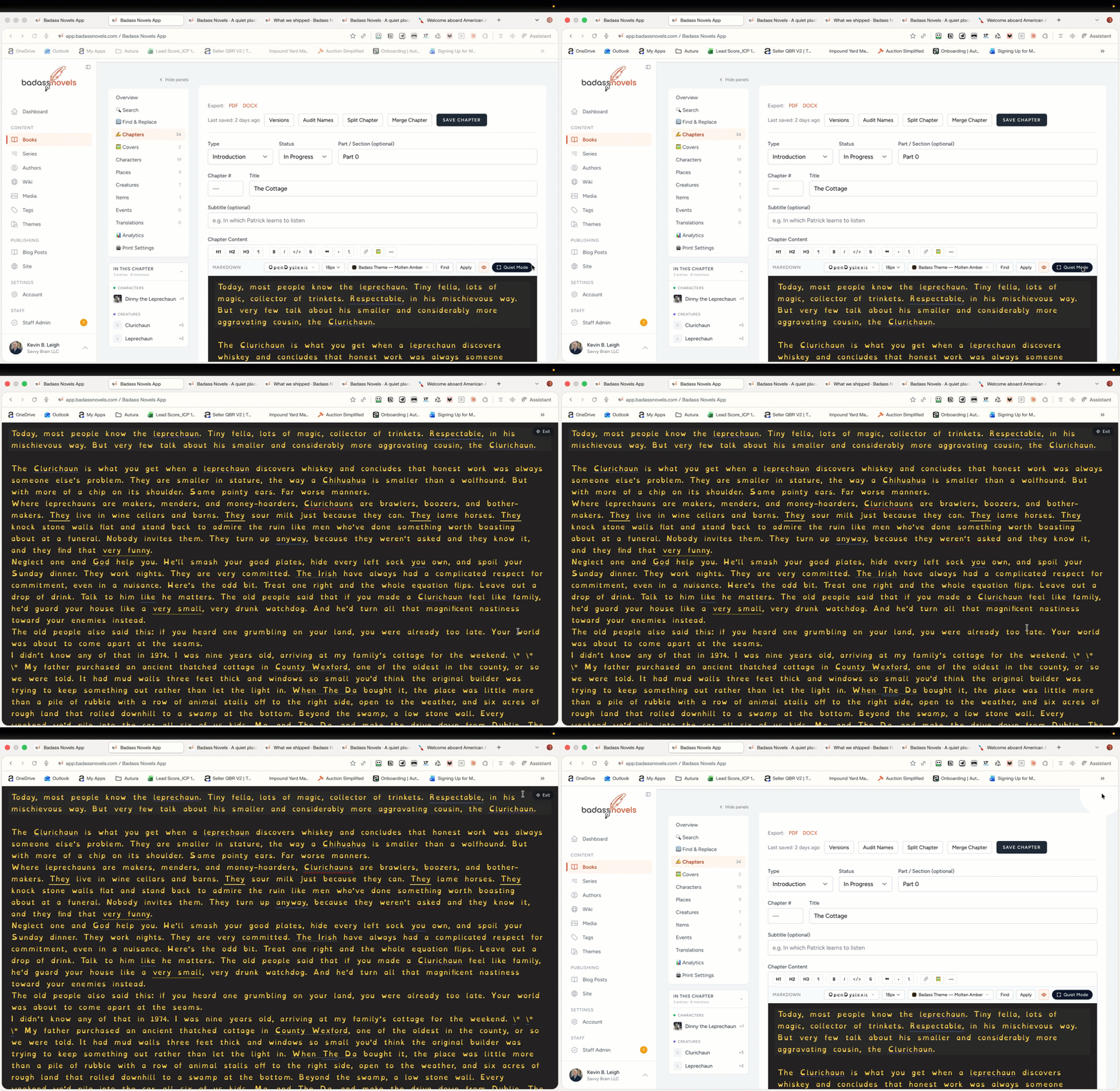
Improved Quiet Mode in the chapter editor, with a reveal animation
The chapter editor now has a Quiet Mode pill in the top toolbar, matching the Focus button on the /read/ reader. Click it and the theme bg sweeps across the page in a radial reveal before the toolbars fade and the prose gets the whole viewport. A small Exit pill stays in the corner, and Esc still works.
April 21, 2026
-
Print Settings tab on every book — trim, fonts, chapter style
Every book now has a Print Settings tab in the sidebar. You pick the trim size (6×9 KDP default, plus six other common sizes), margin preset with KDP-safe gutter, body font (Garamond, Baskerville, Caslon, Cambria, Minion Pro, Georgia, Palatino, Sabon), body size, line spacing, paragraph alignment, first-line indent, no-indent-after-heading convention, chapter number style (None / 1·2·3 / I·II·III / One·Two·Three / Chapter 1 / Chapter One), heading alignment / size / uppercase, whether Parts get a full-page divider, the scene-break glyph (* * *, ◆ ◆ ◆, whatever), and page-number location. PDF and DOCX exports both read these settings, so the book you hand to KDP comes out formatted the way you set it — not a generic 6×9 Garamond stub. Books that never touch the settings page still export respectably because every field defaults to a KDP-friendly value.
-
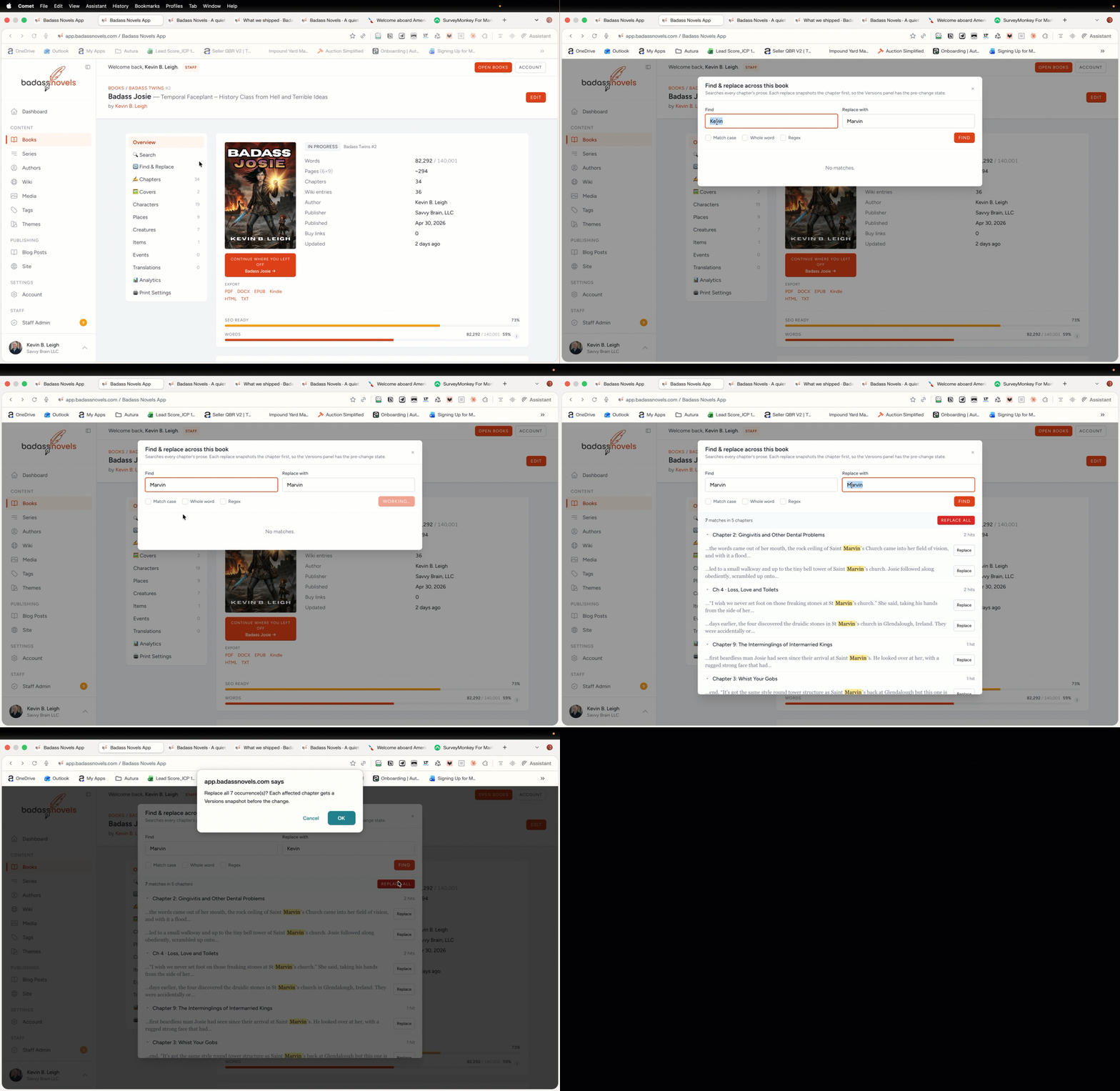
Find and Replace across the whole book
A new Find & Replace button on the chapters page opens a modal that searches every chapter's prose at once. Results group by chapter with a snippet of context around each hit, the match highlighted. Type a replacement and you get a per-hit Replace button plus a Replace all option for the bulk case. Options for match case, whole word, and regex. Every chapter the change touches gets a Versions snapshot saved first, so a misclicked Replace all is one Restore away in the chapter's version history. Results are capped at 500 so an overly broad query doesn't freeze the modal.