Focus Mode: Hide Panels for Distraction-Free Writing
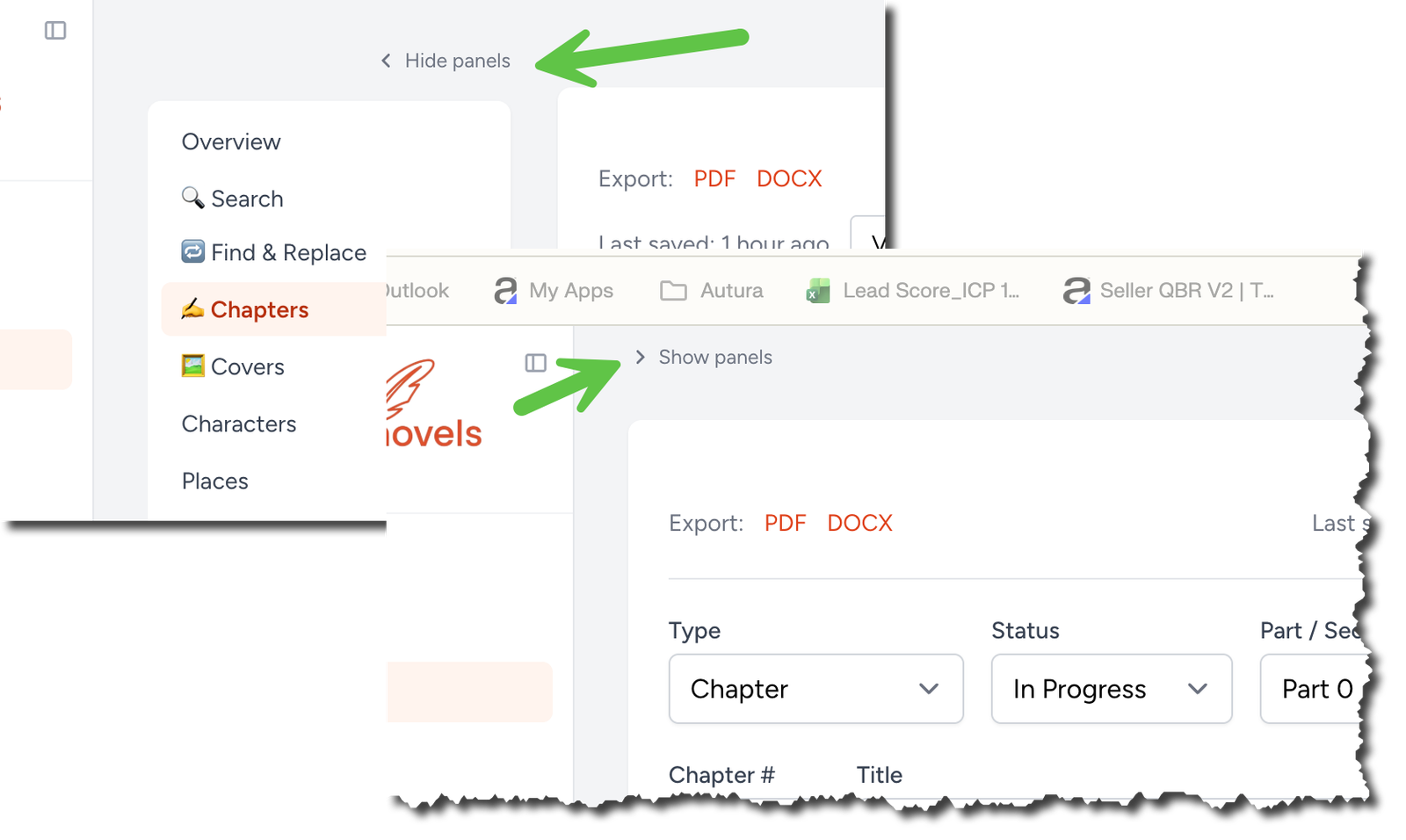
Writing flows best when nothing else competes for your attention. That's why we've added a new Hide panels control to the top of your chapter sidebar — a single click away from a completely unobstructed editor.
One click, full-width writing
Look for the small Hide panels link at the top of the chapter sidebar. Click it, and both the Overview navigation on the left and the In this chapter rail on the right smoothly collapse out of view. Your editor immediately expands to fill the entire width of the page, giving your words room to breathe and letting you focus on the sentence in front of you instead of the structure around it.
No menus to dig through. No keyboard shortcut to memorize. Just a clean, minimal writing surface whenever you want it.
Bring the panels back anytime
When you're ready to jump between chapters, check your outline, or reference your notes, click Show panels on the left side of the screen. Both rails slide back into place exactly where you left them, with your navigation state preserved — no scrolling to find your spot, no losing context.
Toggle as often as you like. Draft in focus mode, edit with your outline visible, then hide everything again when inspiration strikes.
Your preference, remembered
Set it once and forget it. Your panel choice is saved per browser, so the next time you open the editor on the same device, it'll be exactly the way you left it — panels hidden for deep work, or panels visible for planning and navigation.
Switching between a laptop at home and a desktop at the office? Each browser remembers its own preference, so you can keep a different setup on each device if that's how you work best.
Built for the way writers actually work
Whether you're drafting a first pass where structure doesn't matter yet, polishing a finished chapter and need every pixel for line edits, or just prefer a minimalist workspace — Hide panels puts you in control of how much interface you see and when.
Try it on your next writing session. The link is waiting at the top of your chapter sidebar.